

 Europe
  Türkiye
  United Kingdom
  Global








 Login with my Xometry account




We spoke with Uzair Syed, CEO of NexCAD, about how they are tackling the documentation bottleneck that every mechanical engineer knows too well.
The 50% Admin Trap
What problem were you trying to solve?
My background is in mechanical engineering. I’ve worked at large Fortune 500 companies and as a consultant for smaller firms over the last 12 years. The common theme for both is engineers wasting time on non-engineering tasks – documentation, BOMs, supplier communications.
At university, I was excited about going out into the real world and applying all my learnings. In reality, about 50% of my time was dedicated to everything but engineering. And I’d say that’s conservative.
Drawings make up a big part of that. Once I was done with the hard creative work, I still had to create the drawings pack. And then there’s a checker who reviews the drawings. And another layer to give the final approval. Each successive layer involves more senior team members.
All in all, the time spent on drawings can be up to 40% for juniors.
So the main issue is simply lost time?
It’s also about resource allocation and human error. Even after multiple checks, people overlook things because everybody is human. The checks are usually performed by senior engineers, and their time is extremely valuable. In monetary terms, saving even 10 hours of their time can mean $1,000 saved. On the other end of the spectrum, smaller companies often lack the resources to perform thorough checks at all.
When did you decide to do something about it?
Late 2024 I was experimenting with AI. I realised we could cut the most annoying, boring and time-consuming part of drawing checks. That became our starting point.
From ISO to Internal Knowledge Graphs
What does the software actually do for the engineer?
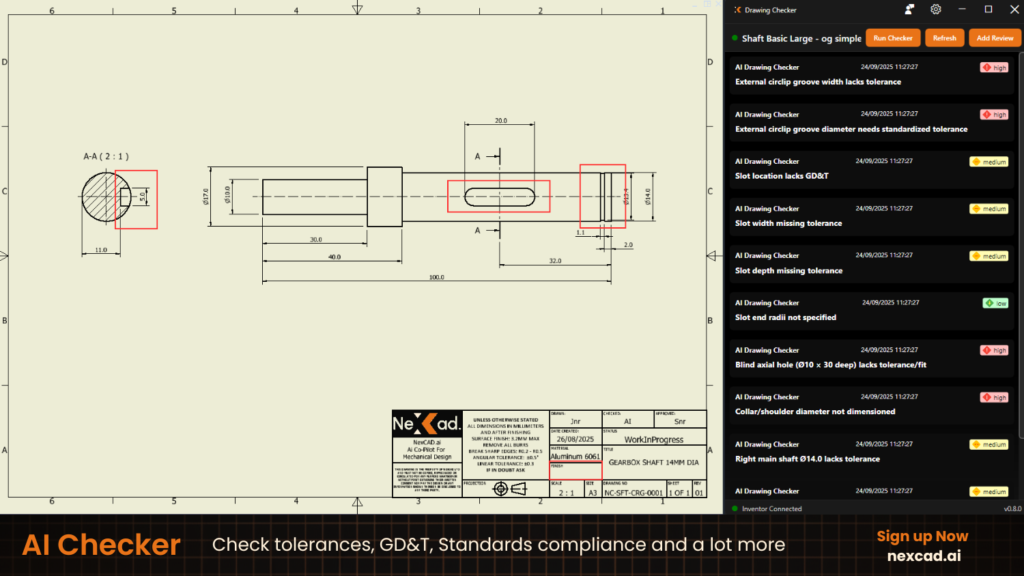
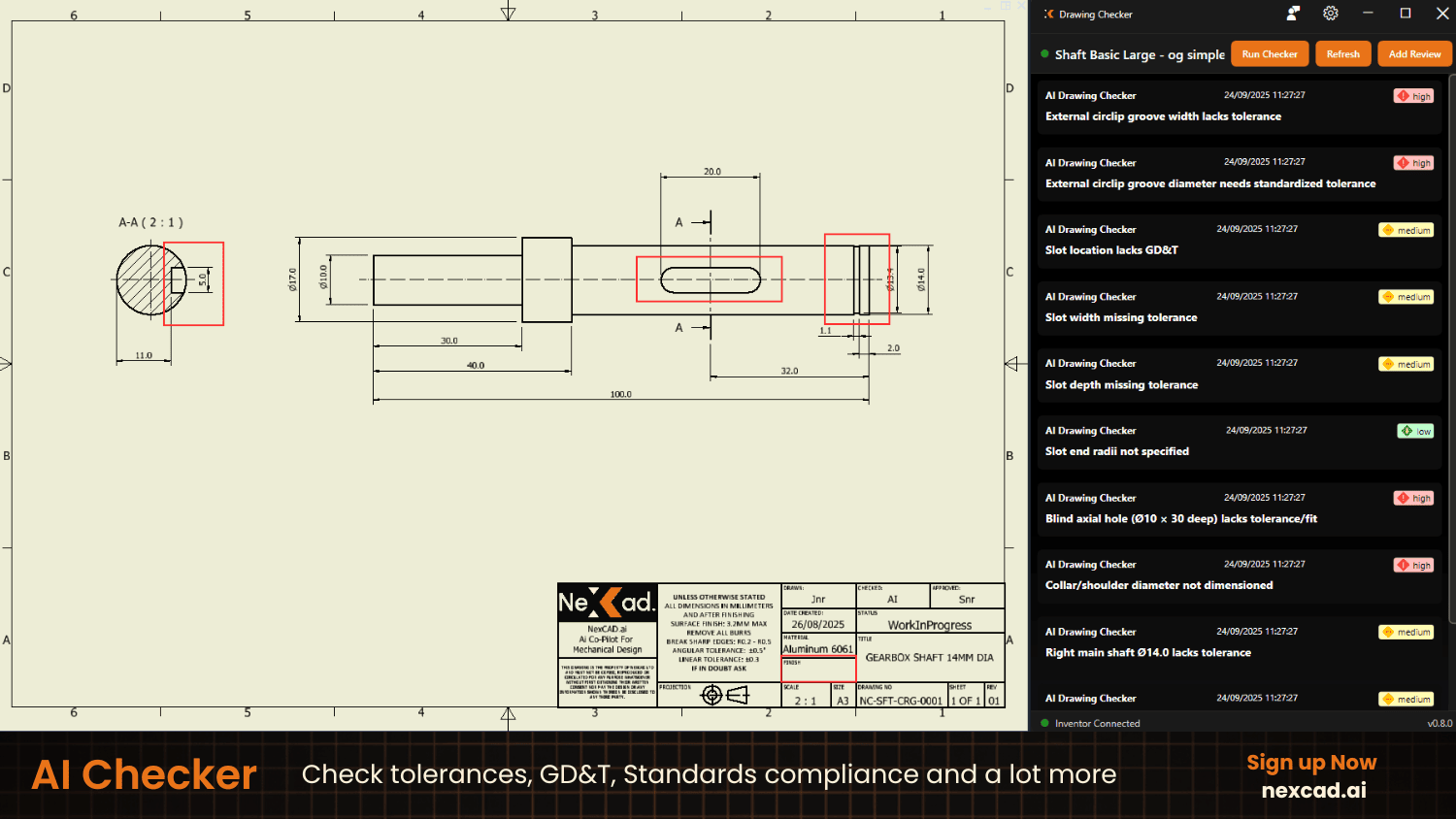
It checks your drawings, makes comments and suggestions and highlights what’s missing.
We’re making the design review process smoother. The senior can put comments right in the AI checker. When the junior opens it, they can see the comments. All this history is recorded.
We curate data about why engineers make certain decisions and create a knowledge graph for the company.
Can you give an example of this “knowledge graph”?
If your company uses a certain supplier for specific products, that information gets retained. Other parts should be designed with that supplier’s datasheet in mind. This information won’t get lost. The next time, our checker will attach the supplier tag so you can base tolerances on their specifications.

So you’re helping companies establish their own internal standards?
Exactly. Each company has its own way of doing things. They comply with global standards like ISO or ASME. Then there’s another layer of vertical-specific standards, like API and DNV regulations for Oil & Gas. The Process industry has B31, or B16.
Finally, there’s the layer of internal standards. We want to ensure that whoever we onboard can keep making drawings with their own needs in mind. The checker learns and tweaks itself over time.
And there’s another layer of customisation, or internal standards.
What if I keep getting suggestions that don’t apply to my company?
The admin can switch off recommendations that don’t apply. This manages the whole rule pack.
Hybrid Intelligence: Rule-Based vs. AI Reasoning
Does the software just highlight issues, or does it provide context?
It detects the geometry, critical features and all annotations in the engineering drawings. It runs basic checks – missing dimensions, empty fields in the title block, materials being specified, surface finish symbols. All the checks you’d normally do.
Then we go one step further with industry-specific checking. We reference standards and you can read up on those things right there to educate yourself.
How fast is the checking process?
Each drawing has four reasoning levels. The lowest level is API checks – that’s instant.
We use a hybrid approach. Rule-based algorithms handle the straightforward checks instantly – spelling, missing title block info, material mismatches. This does 40-60% of the work without any AI involvement.
AI handles the reasoning.
If a keyway has one width on the shaft and another on the hub, it detects and notifies you about the discrepancy. If both keyways conform to the standards, it won’t know which one is right. If one (or both) are not standardised, it will let you know and refer to the correct standard.
Another example is having a welding specification. The AI will check if you can even weld these two materials together and make a comment if it sees possible issues, It will also detect if weld symbols have the size specified or not.
So there are different levels of analysis?
Yes. AI has three levels. Low effort takes one minute, medium takes three minutes, maximum reasoning never goes beyond six minutes. Most users go with medium.
Can I batch process drawings?
Yes, we can do 10 drawings at a time.
What can the software actually read from the drawing?
Anything connected to the CAD software. The geometry, the title block, which dimension connects to what surface. The AI is necessary to read it as a whole. For example, you have a welding specification – can you even weld these two materials together? That needs reasoning.
Most people say that AI is good for input and the human must decide. You seem to be taking the reverse course.
The final approval is still given by a human. So we’re mostly helping the creator and the checker.
Also, drawing generation is a very hard problem to solve. We started out with checks to gather data on how engineers make drawings. Some of them are very complicated. The knowledge we’re building will enable creation next.
Empowering Junior Engineers
What’s the biggest value customers see?
Saving engineers’ time. Especially senior engineers. These people are needed for driving innovation, not checking drawings.
Second, the ability to take their internal rules into account when giving feedback. NexCAD learns on the go.
Finally, smaller companies don’t have formal rule sets. This knowledge gets lost when experienced engineers leave the company. The industry as a whole is losing a lot of seniors right now because of retirement. We’re capturing the reasoning behind design decisions and hand them back to the companies in an organised way.
Across almost 2,000 drawings processed weekly, NexCAD AI Checker consistently identifies 1-2 critical manufacturability issues in every 20 drawings. These issues typically cost $1,000+ per incident in rework, scrap, or engineering time. This highlights the need for a robust, automated checking process to catch these errors at the source.
Who benefits most from NexCAD?
We currently have a narrow focus – robotics and automation companies. They make custom products and create almost a full new batch of drawings for each project, unlike many other industries where a lot of the output is standardised and the drawings largely are reused over time.
Small companies don’t have time to formalise standards because they’re stretched thin. We’re mostly working with mid-market companies to learn and improve alongside them.
Specifically, we target senior engineers. They are driven to innovate and improve processes. Their goal is to push boundaries, not to spend time repeatedly coaching junior staff on company standards or tracking down missing dimensions or tolerances.
Any surprising user stories?
When we started, we thought we’d be making the checker’s life easier. Then one company bought 20 licenses to hand out to all their junior engineers, instead of the checkers.
The feedback has been that their juniors are learning really fast and their output quality has improved dramatically. Junior engineers are now confident in their drawings. They understand why elements are where they are and can explain their decisions.
Another customer reduced their drawing approval cycle from approximately 4 hours spread over multiple days to just 20 minutes, approved within the same day.
Interviewer: So if I had that tool as a junior engineer, I would have avoided the embarrassment of getting lectured by my boss on the impossibility to manufacture the parts from my drawings.
Exactly! You know this embarrassment. As a junior, I didn’t want to go to the senior with a drawing I knew would be bad.
Now junior engineers are getting confident in their drawings. They know why they’re showing something, and are able to answer the boss about those things.
Pricing and Integration
How easy is it to get started?
You can use the checker straight out of the box. Deployment takes half a day. The more you use it, the smarter it gets regarding your own rules, but the global standards are already there.
The onboarding is simple – the customer tells us who the admin is. They start using it from day one. After a week or two, we set up a call to understand how they’re doing. We help them customise NexCAD for their workflow and often implement customer feature requests.
We’re putting significant effort toward customer success – helping with onboarding, getting internal standards into the system, etc.
What is the pricing model?
We charge annually with two tiers, dependent on company size and level of customis
ation. Our minimum order is 10 seats, with no cap on the number of drawings checked per seat.
We’re planning to release a version for companies with under 5 seats in 2026.
Which CAD systems do you integrate with?
Currently, we integrate with Inventor and SolidWorks. For companies using other CAD systems, we can analyze PDFs. You lose some geometry detection and API capabilities, but the AI still does the heavy lifting.
A CADless Future
It seems you’re planning to automate drawings entirely.
H1 2026 will see us launching automated drawing creation. The human will just make final checks and approve.
We’ve trained our systems on real drawings – around 1,800 per week. We can now use these learnings to create drawings from scratch.
The current solutions can’t handle complicated things like assembly or weldment drawings. We’re learning from analyzing very complex drawings. That real-life data will help us create highly intricate drawings with accuracy.
What is the long-term roadmap?
We have a full roadmap where NexCAD becomes the AI automation workflow layer for all the tasks engineers waste time on. As an engineer, I love 3D modeling because it’s fun and I can manipulate the models and play around with them. But it’s still a waste of time compared to creative work.
Over 2026 we’re closing the loop on drafting i.e drawing creation and checking. In the more distant future, we want to tackle 3D models,simulations and design files.
And in the very distant future, I’d like to see a no-CAD future.
That sounds ambitious.
I want engineers to not use CAD at all. It might sound crazy, but when we take out all the workflows, we’re left with creative thought. CAD is for visualisation, but you shouldn’t have to make all the models manually.
Isn’t that a very big bite?
If we need to partner with someone who is better than us in some areas, then we would be happy to. I just want to push this industry forward.
Any other AI tools you’d recommend engineers check out?
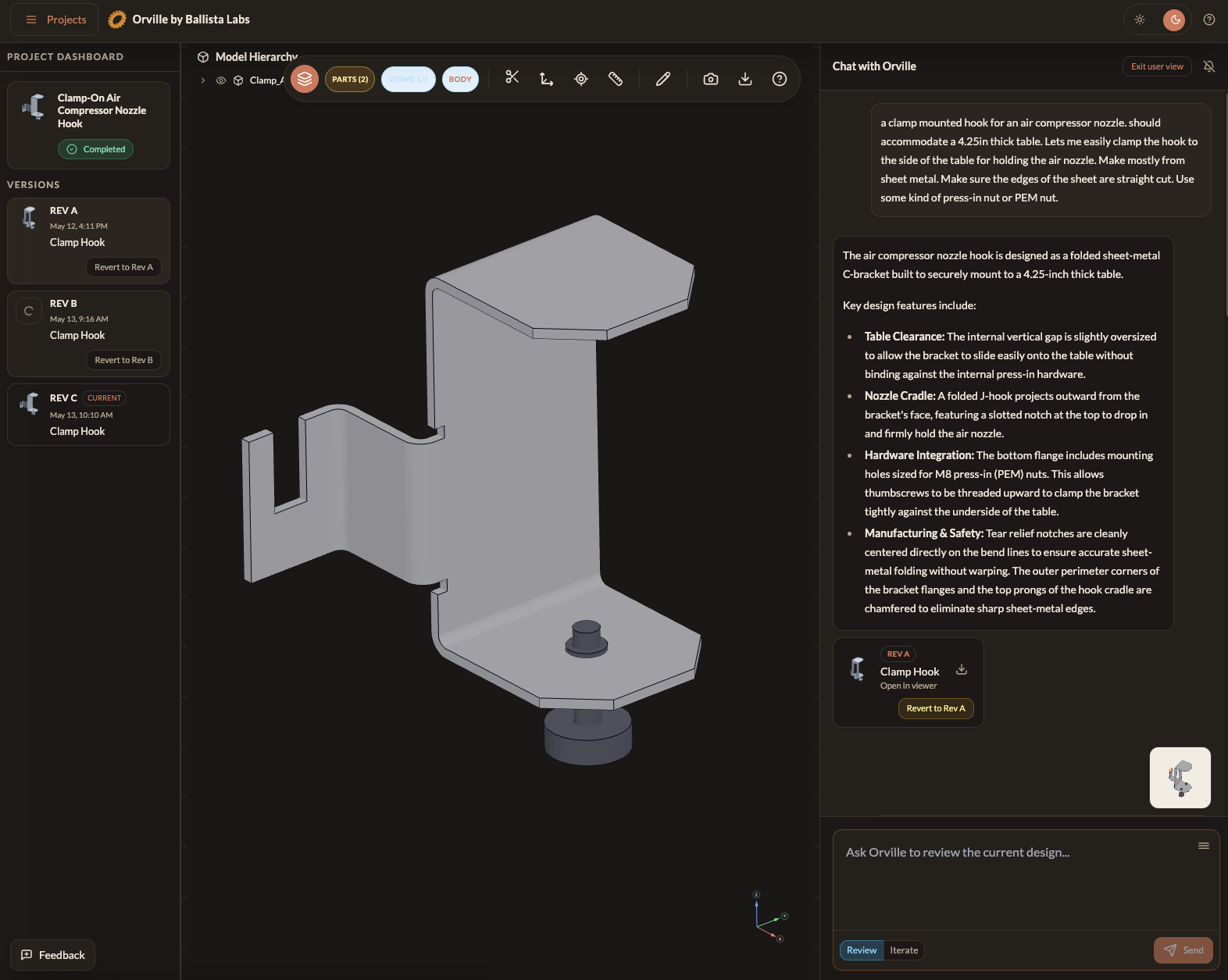
Shapr3D, because they’ve figured out a way of modeling that is very natural to engineers.
Related Topics
 Content Manager
 0
4
0
4



Comment(0)