en – EU
Knowledge & Community
Search
K
Quote & source your parts
Europe Europe
Türkiye Türkiye
United Kingdom United Kingdom
Global Global
select
navigate
switch tabs
Esc close

Swipe to switch
between articles

Ultimate 3D Printing Design Guide

An ultimate collection of design tips for different 3D printing processes:
MJF, SLS, FDM, SLA, Polyjet, Carbon DLS, Nexa3D’s LSPc, DMLS, Metal Binder Jetting.

Quick Design Reference for 3D Printing

This brief overview of design features and process specifications is created to help you: 

  • Design your parts efficiently.
  • Compare different 3D printing processes to determine which technology best suits your design.
  • Maintain functionality while improving the quality and durability of your parts.

This quick guide is a summary of further sections. You can interactively choose processes to compare and see feature sizes and limitations achievable with each 3D printing process. Further sections provide detailed explanations about each feature for every process.

Comparison Table

MJF MJF

HP Multi Jet Fusion

SLS SLS

Selective Laser Sintering

FDM FDM

Fused Deposition Modeling
SLA SLA

Stereolithography
PJ PJ

Polyjet

Carbon DLS Carbon DLS

Carbon DLS™
DMLS DMLS

Direct Metal Laser Sintering
MBJ MBJ

Metal Binder Jetting

Description

Multi Jet Fusion (MJF) 3D printing is one of the most widely used industrial additive manufacturing processes. Like SLS, MJF is used to produce strong, functional plastic parts.

Best Use Case

Strong and functional prototypes & low-volume production

Maximum Part Size

380 × 284 × 380 mm

Minimum Part Size

7.5 × 7.5 × 2.54 mm

Description

Selective Laser Sintering (SLS) 3D printing is one of the most widely used industrial additive manufacturing processes. Like MJF, SLS is used to produce strong, functional plastic parts.


Best Use Case

Strong and functional prototypes & low-volume production

Maximum Part Size

700 × 380 × 580 mm

Minimum Part Size

12.7 × 7.5 × 2.54 mm

Description

Fused Deposition Modeling (FDM) 3D printing is cost-effective and widely known for its great material selection, accuracy, and the possibility to print large, functional plastic parts.

Best Use Case

Affordable & large format prototypes and end-use parts

Maximum Part Size

900 × 600 × 900 mm

Minimum Part Size

5 × 5 × 0.75 mm

Description

Stereolithography (SLA) 3D printing utilizes light-curable thermoset resins to build highly accurate, high-resolution parts. Its surface finish is one of the highest standards in the industry and recommended for aesthetic prototypes.

Best Use Case

Visual prototypes with high resolution

Maximum Part Size

736 × 635 × 533 mm

Minimum Part Size

3 × 2 × 1 mm

0
Bookmark (0)
Please login to bookmark Close
Open Article

3D Printing Process Overview: MJF

What Is MJF? How Does It Work?

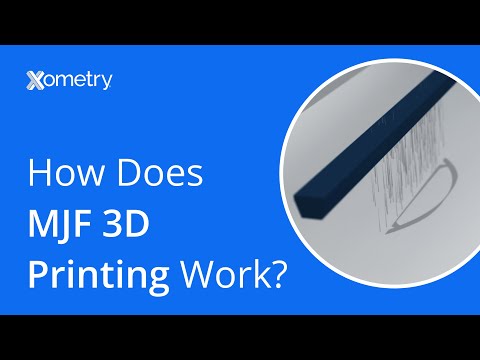
HP Multi Jet Fusion (MJF) is a powder bed fusion technology that produces high-quality plastic parts. Unlike other powder-based methods, MJF utilizes fusing and detailing agents to precisely control part geometry, with heat applied to create a solid, detailed structure. 

The process begins by spreading a thin layer of thermoplastic powder across the build area, followed by the inkjet head depositing agents that help selectively fuse particles and ensure sharp edges and intricate details. This unique approach delivers a consistent and reliable layer-by-layer build, making MJF distinct from traditional methods like Selective Laser Sintering (SLS) or Direct Metal Laser Sintering (DMLS). These other techniques rely on single laser beams, leading to variable printing times per layer.

MJF is renowned for its efficiency and speed, capable of creating parts up to 10 times faster than some competing 3D printing technologies. Its ability to provide high-resolution details while maintaining rapid throughput makes it a popular choice for functional prototyping, low-volume production, and bridging to injection molding. 

By offering even printing times per layer, MJF achieves an impressive balance of precision and speed, making it ideal for those looking to test part performance or produce small batches without significant upfront costs. This versatility positions MJF as a highly robust and flexible option in modern manufacturing.

YouTube Video Preview

MJF MJF

HP Multi Jet Fusion

Advantages

  • Time- and cost-effective 3D printing from one-offs to batches
  • No support structures are required
  • Consistent physical and mechanical properties
  • Produces “near-net-shape” parts with a consistent but grainy surface finish (which can be turned into a sealed and semi-gloss finish through vapor smoothing)
  • Optimal for manufacturing snap-fit connectors

Disadvantages

  • Inaccessible areas and confined hollow cannot be cleaned of excess powder
  • Text smaller than 0.5 mm (0.020″) may wash out
  • High aspect-ratio features may warp
  • The build size is restricted to 380 x 284 x 380 mm (14.96″ x 11.18″ x 14.96″).

Bookmark (0)
Please login to bookmark Close
Open Article

3D Printing Process Overview: SLS

What Is SLS? How Does It Work?

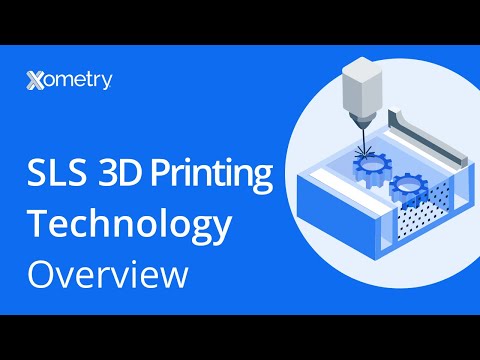
Selective Laser Sintering (SLS) is an additive manufacturing technology grouped under powder bed fusion. Unlike MJF, SLS uses a laser to selectively coalesce the powdered mixture to create part details layer by layer. This method uses thermoplastic polymers that are often granulated. A re-coating blade spreads this polymer over a heated build area. The polymer bin and build platform are pre-heated to just below the polymer’s melting temperature.

SLS parts come out with a slightly grainy, matte finish. Post-processing options are available, such as color dyeing and vapor smoothing, to give parts a more desired look and feel.

SLS is affordable to set up, yet it guarantees high-quality parts with great details. 

Among the available 3D printing technology, SLS would be ideal for quickly producing parts lower than 1,000 units. Overall, SLS can produce complex shapes, reducing waste and enhancing production time.

YouTube Video Preview

SLS SLS

Selective Laser Sintering

Advantages

  • Time- and cost-effective 3D printing from one-offs to batches
  • No support structures required
  • Consistent surface finish
  • Complex part geometries can be achieved
  • Produces “near-net-shape” parts with a consistent but grainy surface finish (which can be turned into a sealed and semi-gloss finish through vapor smoothing)
  • Optimal for manufacturing snap-fit connectors

Disadvantages

  • Thin walls may thicken due to oversintering
  • Thin gaps may close (AKA “hole shrinkage”)
  • Text smaller than 0.5 mm (0.020″) may wash out
  • Inaccessible areas and confined hollow cannot be cleaned of excess powder
  • High aspect-ratio features may warp

Bookmark (0)
Please login to bookmark Close
Open Article

3D Printing Process Overview: FDM

What Is FDM? How Does It Work?

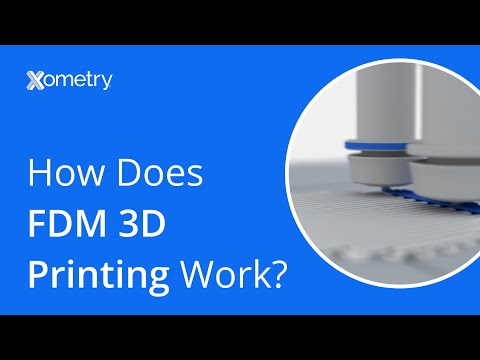
Fused Deposition Modeling (FDM) is an extrusion-based technology, where plastic filament is selectively deposited on the build area to create a part. Parts are very rigid, especially compared to Selective Laser Sintering (SLS), which makes them a great fit for projects with a rigidity requirement. FDM is widely used in different industries because of the various materials that it supports. These materials range from commonly utilized thermoplastics like ABS, polycarbonate, and nylon to specialty-engineered plastics such as ULTEM.

Given that the typical layer height of industrial FDM is 0.254mm (0.010”) and the extruded material is relatively coarse compared to other processes, fine features may not fully resolve. Knowing this, it is important to follow the guidelines outlined in this guide to ensure all features are produced as intended.

FDM also requires support structures (soluble or break-away) for certain features, so it is important to keep this in consideration when designing parts to allow support structures to be removed during post processing.

YouTube Video Preview

FDM FDM

Fused Deposition Modeling

Advantages

  • Cost-effective for low-volume 3D printing
  • Capable of producing large parts up to 900 × 600 × 900 mm (35″ × 23″ × 35″)
  • Offers a wide range of colors
  • Provides a larger selection of materials compared to other 3D printing processes

Disadvantages

  • Lower resolution
  • Need of support structures for overhanging features
  • Poor surface quality with visible layer lines
  • Not suitable for intricate details
1
Bookmark (0)
Please login to bookmark Close
Open Article

3D Printing Process Overview: SLA

What Is SLA? How Does It Work?

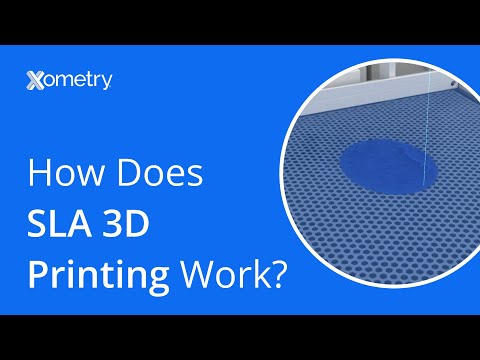
Stereolithography (SLA) is a 3D printing technology that uses photopolymerization to create models with high precision. This process involves an ultraviolet (UV) light curing liquid resin layer by layer, solidifying it into the desired shape. During the pre-build setup, structural supports are generated to stabilize the model during printing. Once the print is complete, these supports are manually removed, and the parts are washed in a solvent solution to eliminate any uncured resin. Finally, the parts undergo a post-curing process in a UV light oven to achieve full strength and stability.

SLA typically produces a smoother surface finish compared to other 3D printing processes, such as FDM. This is because SLA solidifies liquid resin using a laser, rather than melting and cooling a plastic filament. The result is parts with a smooth, almost glass-like finish.

YouTube Video Preview

SLA SLA

Stereolithography

Advantages

  • Produces smooth, glass-like surfaces ideal for aesthetic prototypes.
  • Complex part geometries can be achieved
  • Excellent detail and high-resolution prints
  • Suitable for both small and large parts due to high resolution and relatively large build envelopes.

Disadvantages

  • Higher cost compared to processes like MJF, SLS, or FDM.
  • High UV sensitivity that may lead to material degradation and fast aging
  • Not suitable for moving assemblies
  • Need of support structures for overhanging features
  • Thin or detailed features may be fragile for end use applications
  • Low production volumes, suitable mainly for prototyping and exhibition parts due to slower batch processing.
Bookmark (0)
Please login to bookmark Close
Open Article